Commodore 1351 Mouse
Gallery
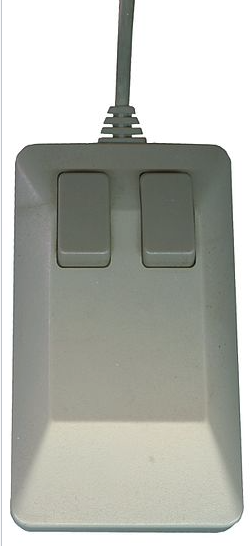
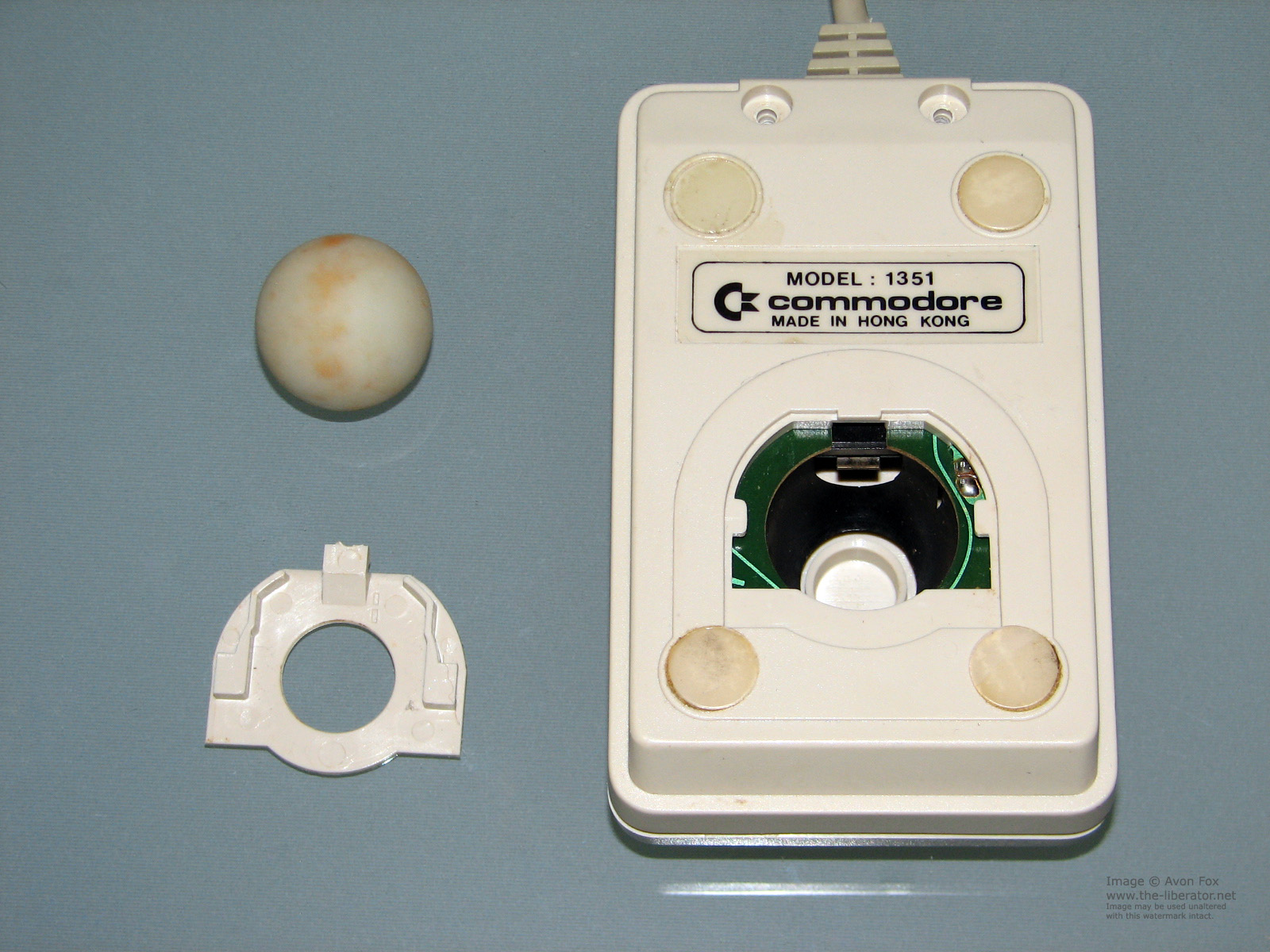
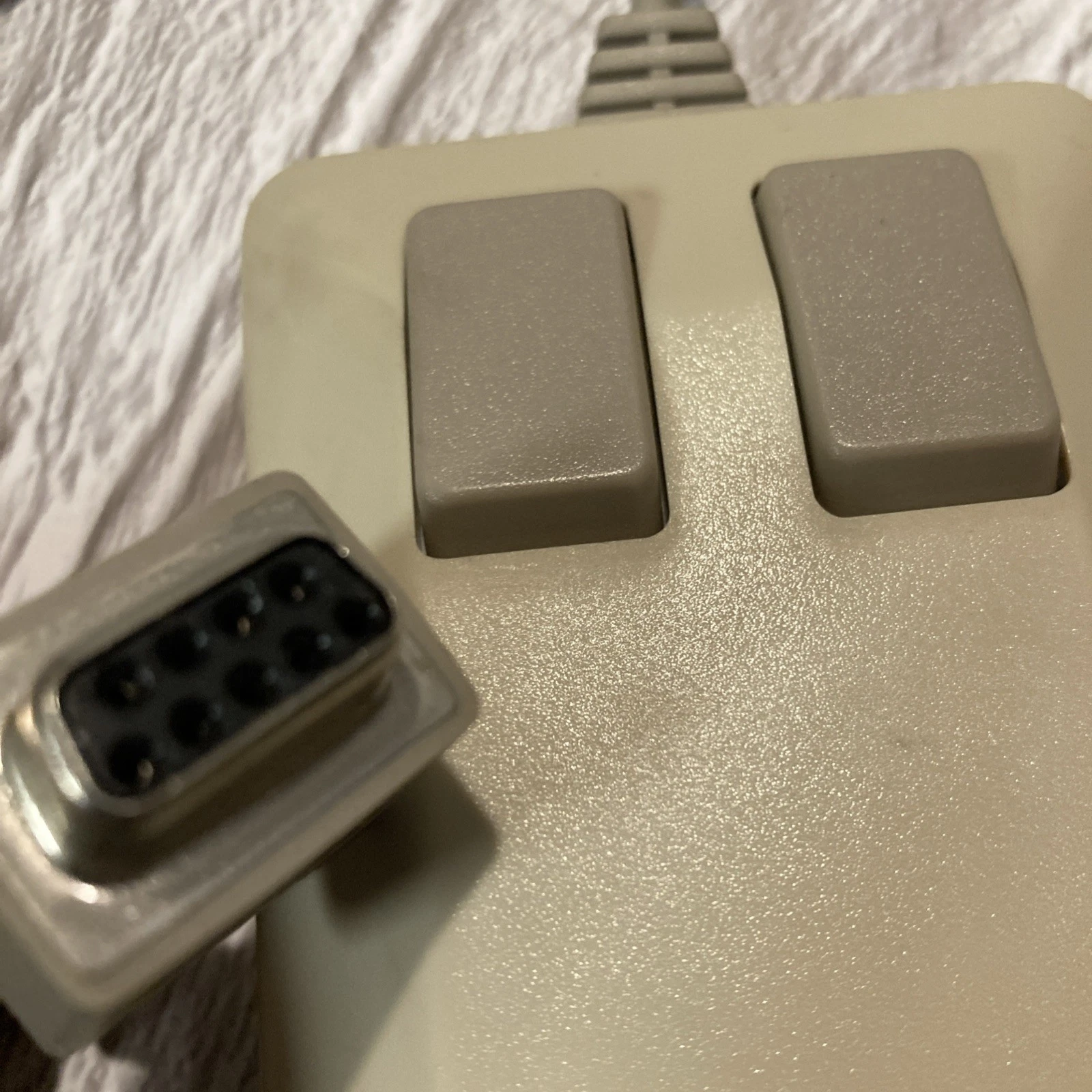
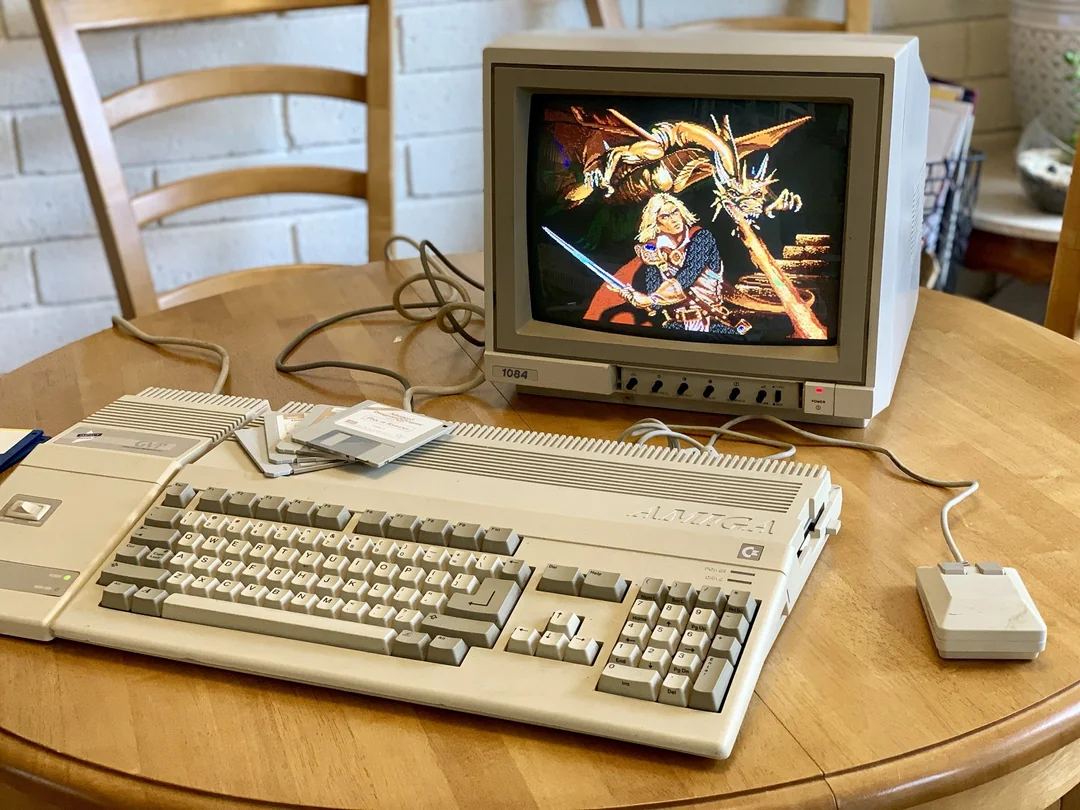
Commodore 1351 Mouse
“The 1351 was our answer to the growing need for precise pointing devices in the mid-1980s. While the Amiga had its own mouse, the 8-bit line needed something that could work within the limitations of the C64 and C128. The 1351’s proportional movement was a game-changer, making it possible to have a true desktop experience on 8-bit machines. It worked beautifully with GEOS and other GUI environments, and its build quality was exceptional—many 1351s are still working perfectly today, a testament to their design and construction.” - Bil Herd, Commodore Engineer
The Commodore 1351 was a proportional mouse released by Commodore in 1986 for the Commodore 64 and Commodore 128 computers. Unlike the earlier Commodore 1350 mouse, which was a digital device that emulated a joystick, the 1351 provided true analog proportional movement, offering much greater precision and control. It became particularly popular with GEOS (Graphic Environment Operating System) users and was widely used in desktop publishing, graphic design, and educational applications. The 1351’s robust construction, smooth tracking, and compatibility with a wide range of software made it one of the most beloved input devices in the Commodore 8-bit ecosystem.
Technical Specifications
Technical Specifications
- Dimensions
- 12 × 6.5 × 4 cm (4.7 × 2.6 × 1.6 in)
- Weight
- 200 g (7 oz)
- Power
- Powered from computer (no external power required)
Features and Capabilities
Hardware Design
- Case: Beige plastic, matching Commodore 64C/128
- Buttons: Two large, tactile pushbuttons
- Scroll Wheel: No
- Cable: 1.8 meters (6 feet), strain-relieved
- Connector: 9-pin D-sub male
- DIP Switches: 4-position for configuration
Technical Specifications
- Movement Detection: Optical encoder wheels
- Axes: X and Y (simultaneous)
- Maximum Speed: 12.5 inches/second
- Acceleration: 0.5G
- Lifespan: 1 million clicks per button
- Compatibility: C64, C128, Plus/4 (with adapter)
DIP Switch Settings
Switch 1: Swap left/right buttons
Switch 2: Enable/disable joystick emulation
Switch 3: Swap X/Y axes
Switch 4: Invert X axis
Models and Variants
Commodore 1351 (1986-1990)
- Model Number: 1351
- Features: Beige case, two buttons
- Compatibility: C64, C128, Plus/4 (with adapter)
- Known Issues: Early units had stiff cables
Commodore 1351M (1990-1994)
- Improvements: More flexible cable
- Changes: Slightly different button feel
- Compatibility: Same as original
Third-Party Clones
- Mickey Mouse C64: Popular clone
- TAC-2 Mouse: Joystick/mouse combo
- InPort Mouse: Modern USB adapter compatible
Usage and Setup
Connecting to a Commodore 64/128
- Basic Connection:
- Turn off the computer
- Plug the mouse into control port 1 or 2
- Turn on the computer
- Load mouse-compatible software
- GEOS Setup:
- Boot GEOS
- Go to “Control Panel”
- Select “Input Device”
- Choose “1351 Mouse”
- Adjust sensitivity as needed
Programming the 1351
10 REM READ MOUSE POSITION (C64/128)
20 POKE 56320,127: REM SETUP PORTA FOR READING
30 X=PEEK(56320) AND 15: REM READ X (LOW NIBBLE)
40 Y=PEEK(56321) AND 15: REM READ Y (LOW NIBBLE)
50 LB=PEEK(56320) AND 16: REM LEFT BUTTON
60 RB=PEEK(56321) AND 16: REM RIGHT BUTTON
70 PRINT X;Y;LB;RB
80 GOTO 30
Technical Details
Protocol
- Sampling Rate: ~60 Hz
- Data Format: 4-bit X and Y deltas
- Button States: Bit 4 of each port
- Polling Method: Read from $DC00 (port 1) or $DC01 (port 2)
Pinout (9-pin D-sub)
1 - +5V DC
2 - Fire Button (Left)
3 - Pot X
4 - Ground
5 - Pot Y
6 - Button 2 (Right)
7 - +5V DC (unused)
8 - Ground
9 - +5V DC (unused)
Electrical Characteristics
- Supply Voltage: 5V ±5%
- Current Draw: 10mA typical
- Output Levels: TTL compatible
- Signal Type: Quadrature encoded
Common Issues and Solutions
Common Problems
- Mouse Not Detected
- Check connection to computer
- Try the other control port
- Test with known working mouse
- Jumpy Cursor
- Clean mouse ball and rollers
- Check for worn rollers
- Clean optical encoders
- Buttons Not Working
- Check for physical damage
- Clean button contacts
- Test with multimeter
- Incorrect Movement
- Check DIP switch settings
- Try different sensitivity settings
- Verify software compatibility
Maintenance
- Ball and Rollers: Clean monthly
- Optical Encoders: Blow out dust
- Buttons: Clean contacts if unresponsive
- Cable: Check for breaks near connectors
Hacks and Modifications
Common Mods
- LED Upgrade: Add status LED
- Scroll Wheel: Add third button
- USB Conversion: For modern computers
- Wireless Mod: Add 2.4GHz or Bluetooth
DIY Repairs
- Cable Replacement: Common failure point
- Button Replacement: Microswitch swap
- Encoder Wheel Repair: Clean or replace
- Case Restoration: Retrobrighting
Legacy and Impact
Historical Significance
- First Proportional Mouse: For 8-bit Commodores
- GEOS Revolution: Made GUI practical on C64/128
- Educational Use: In schools worldwide
- Demo Scene: Used in many productions
Collectibility
- Value: $50-$150 depending on condition
- Rare Variants: Early production models
- Mint Condition: Boxed units with manuals
- Restoration: Popular with collectors
Modern Alternatives
- C64 Direct-to-TV: Includes mouse support
- The 64: Modern recreation
- Ultimate 64: FPGA-based system
- Emulation: VICE, CCS64
Technical Documentation
Registers (C64/C128)
- $DC00 (Port 1) / $DC01 (Port 2):
- Bits 0-3: X movement
- Bit 4: Left button
- Bits 5-7: Unused
- $DC00 (Port 1) / $DC01 (Port 2):
- Bits 0-3: Y movement
- Bit 4: Right button
- Bits 5-7: Unused
Sample Assembly Code
; Read 1351 Mouse (C64)
        lda #$7f        ; Set up port A for reading
        sta $dc02       ; DDR port A = inputs
        lda #$ff
        sta $dc03       ; DDR port B = outputs

read_mouse:
        lda $dc00       ; Read port A (X and left button)
        and #$10        ; Mask left button
        sta button_left
        lda $dc00       ; Read X movement
        and #$0f        ; Mask X delta
        sta mouse_x

        lda $dc01       ; Read port B (Y and right button)
        and #$10        ; Mask right button
        sta button_right
        lda $dc01       ; Read Y movement
        and #$0f        ; Mask Y delta
        sta mouse_y

        jmp read_mouse  ; Loop
In Popular Culture
- Featured in computer magazines of the 1980s
- Appears in GEOS software advertisements
- The subject of YouTube restoration videos
- Referenced in retro computing forums
Further Reading
- C64-Wiki 1351 Page
- Lemon64 1351 Forum
- The 8-Bit Guy - Commodore Mouse Review
- Commodore 1351 Service Manual
About This Page
This page documents the technical specifications, operation, and legacy of the Commodore 1351 Mouse. Information is based on official documentation, service manuals, and community knowledge.