Commodore 1701/1702 Monitor
Gallery
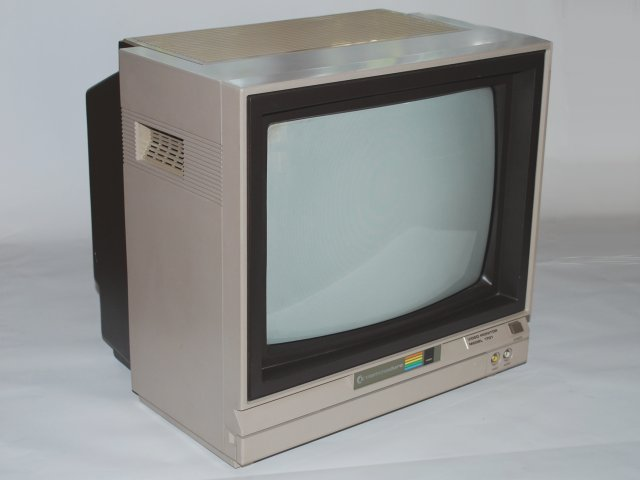
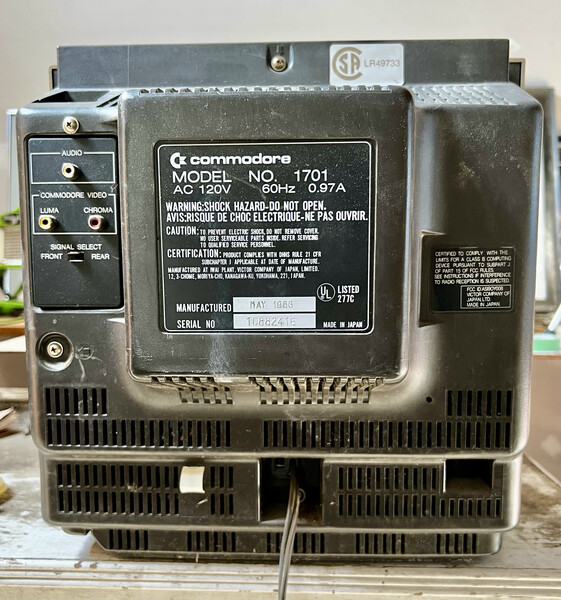
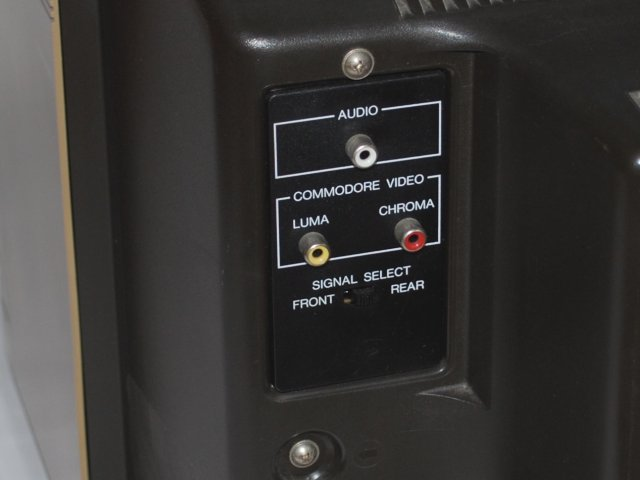
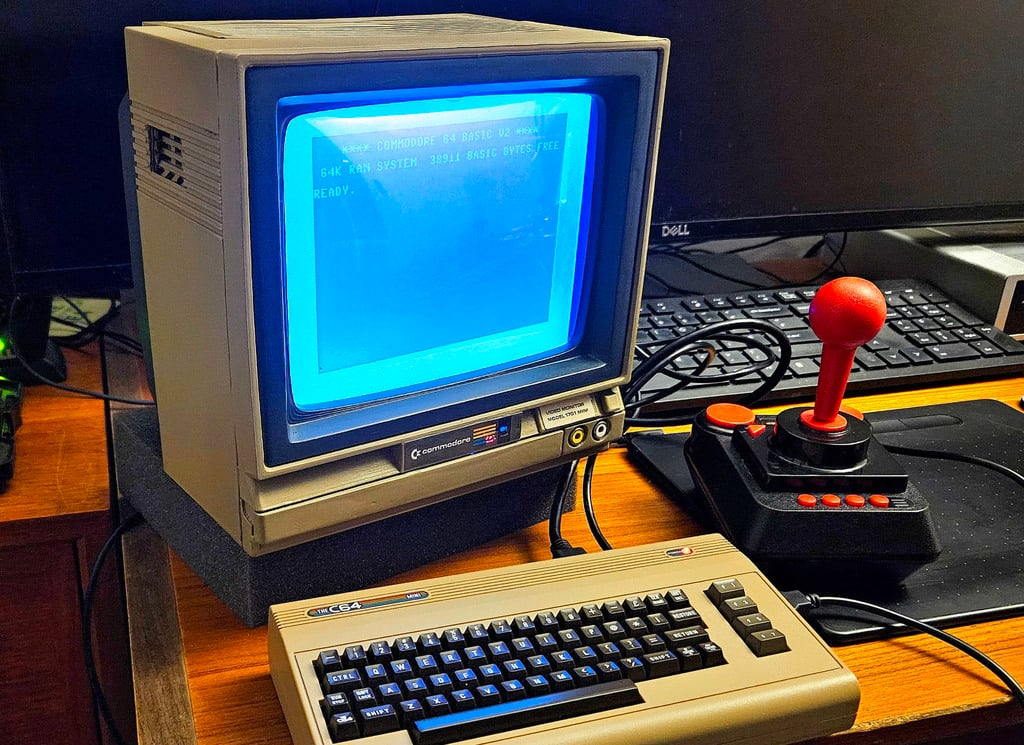
Commodore 1701/1702 Monitor
“The 1701 was our answer to the poor quality of consumer televisions of the early 1980s. We wanted Commodore users to see their computers in the best possible light, with crisp text and vibrant colors that really showed off what our machines could do. The 1701 wasn’t just a monitor—it was a window into the digital world. Its RGB input provided the sharpest possible picture, while the composite input ensured compatibility with a wide range of devices. Many professional video producers in the 1980s used 1701s because of their excellent color reproduction and reliability.” - Bob Yannes, Commodore Engineer
The Commodore 1701 (and its rebadged variant, the 1702) was a 13-inch color CRT monitor produced by Commodore in the 1980s. Renowned for its exceptional picture quality, it became the display of choice for serious Commodore 64 and Amiga users. The monitor featured both composite video and separate chroma/luma inputs, allowing for significantly sharper images than standard televisions of the era. Its sturdy construction, excellent color reproduction, and multiple input options made it one of the most beloved computer monitors of the 8-bit and 16-bit eras.
Technical Specifications
Technical Specifications
- Dimensions
- 35 × 33 × 37 cm (13.8 × 13 × 14.6 in)
- Weight
- 15.9 kg (35 lb)
Features and Capabilities
Display Characteristics
- Screen Size: 13” viewable (diagonal)
- Aspect Ratio: 4:3
- Screen Coating: Anti-glare, anti-static
- Color Temperature: 9300K (standard)
- Horizontal Frequency: 15.75 kHz (NTSC), 15.625 kHz (PAL)
- Vertical Frequency: 60 Hz (NTSC), 50 Hz (PAL)
- Video Bandwidth: 10 MHz
Inputs and Outputs
- Composite Video: RCA jack (yellow)
- Chroma/Luma: 5-pin DIN (S-Video)
- RGB (1702 only): 9-pin D-sub (digital RGBI)
- Audio Input: RCA jacks (red/white)
- Audio Output: 3.5mm headphone jack
- Speaker: 3” mono (2W)
Controls
- Front Panel:
- Power switch
- Power LED
- Brightness
- Contrast
- Color intensity
- Vertical hold
- Volume
- Rear Panel:
- Input selector
- Tint control (1702)
- Service adjustments
Models and Variants
Commodore 1701 (1984-1986)
- Model Number: 1701
- Features: Beige case, composite and chroma/luma inputs
- Compatibility: C64, VIC-20, Atari 8-bit, etc.
- Known Issues: Early units had geometry issues
Commodore 1702 (1986-1990)
- Improvements: Added RGB input, improved chassis
- Changes: Darker case color, better shielding
- Compatibility: C64, C128, Amiga, Atari ST
Commodore 1702R (1990-1994)
- Features: Revised electronics, better reliability
- Changes: Lighter weight, different case design
- Compatibility: All Commodore systems, some PCs
OEM Variants
- Sanyo DM-1700: Original manufacturer
- Mitsubishi CS-1301: Japanese market
- Philips CM8833: European variant
Usage and Setup
Connecting to a Commodore 64
- Composite Connection:
- Connect the A/V cable’s video (yellow) to the composite input
- Connect the audio (white/red) to the audio inputs
- Set input to “Composite”
- Chroma/Luma Connection:
- Connect the 5-pin DIN to the monitor’s chroma/luma input
- Connect audio cables
- Set input to “LCA” (Luma/Chroma/Audio)
- RGB Connection (1702 only):
- Connect the 9-pin D-sub cable
- Connect audio separately
- Set input to “RGB”
Recommended Settings
- Brightness: 60-70%
- Contrast: 70-80%
- Color: 60-70%
- Tint: 50% (adjust to preference)
- Volume: As needed
Technical Details
CRT Specifications
- Tube Type: 13V-90P
- Anode Voltage: 24.5 kV
- Deflection Angle: 90°
- Phosphor Type: P22
- Screen Curvature: Spherical
- Convergence: Static and dynamic
Video Processing
- Luma Bandwidth: 10 MHz
- Chroma Bandwidth: 1.5 MHz
- RGB Bandwidth: 5 MHz
- Input Impedance: 75 ohms
- Input Level: 1Vp-p (composite), 0.7Vp-p (RGB)
Audio Specifications
- Amplifier: 2W mono
- Frequency Response: 100Hz - 10kHz
- Input Impedance: 10k ohms
- Input Level: 0.5V RMS
- Speaker: 3” full-range
Common Issues and Solutions
Common Problems
- No Power
- Check power cord connection
- Test power switch
- Check fuse
- No Picture
- Verify input selection
- Check video cable
- Test with another device
- Poor Color
- Adjust color control
- Check chroma/luma connection
- Degauss if necessary
- Geometry Issues
- Adjust vertical/horizontal hold
- Check for magnetic interference
- May require professional service
Maintenance
- Cleaning: Use microfiber cloth and monitor cleaner
- Ventilation: Ensure proper airflow
- Degaussing: Use built-in degausser or external coil
- Capacitor Replacement: Common in aging units
Hacks and Modifications
Common Mods
- RGB Mod: Add RGB input to 1701
- Stereo Audio: Add second speaker
- VGA Conversion: For modern computers
- Recap Kits: Replace aging capacitors
- LED Power Indicator: Replace incandescent lamp
Service Adjustments
- Screen Voltage: Adjust focus and G2
- Convergence: Adjust purity rings
- Geometry: Adjust yoke position and magnets
- White Balance: Adjust RGB cutoffs and drives
Legacy and Impact
Historical Significance
- Industry Standard: Set the bar for computer monitors
- Professional Use: Used in video production
- Gaming: Beloved by retro gamers
- Durability: Many units still in use today
Collectibility
- Value: $100-$400 depending on condition
- Rare Variants: Early 1701 models
- Mint Condition: Boxed units command premium prices
- Restoration: Popular with retro enthusiasts
Modern Alternatives
- OSSC: For modern displays
- RetroTINK: Line doubler
- Framemeister: Upscaler
- CRT Emudriver: For CRT monitors
Technical Documentation
Pinouts
5-pin DIN (Chroma/Luma/Audio)
1 - Audio Right
2 - Ground
3 - Audio Left
4 - Luma
5 - Chroma
9-pin D-sub (RGB, 1702 only)
1 - Ground
2 - Ground
3 - Red
4 - Green
5 - Blue
6 - Intensity
7 - Not Connected
8 - Horizontal Sync
9 - Vertical Sync
Service Adjustments
- Focus: Adjust focus potentiometer
- Screen: Adjust G2 control
- Convergence: Adjust purity rings
- Geometry: Adjust yoke position
- White Balance: Use color bars
In Popular Culture
- Featured in movies like “WarGames” and “The Terminator”
- Appears in 1980s computer magazines
- The subject of YouTube restoration videos
- Referenced in retro computing forums
Further Reading
About This Page
This page documents the technical specifications, operation, and legacy of the Commodore 1701/1702 monitor. Information is based on official documentation, service manuals, and community knowledge.